Pen Plotter Collection
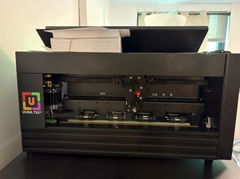
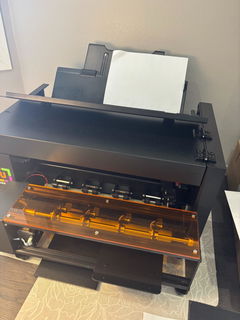
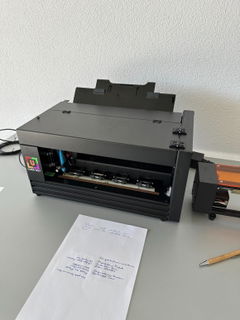
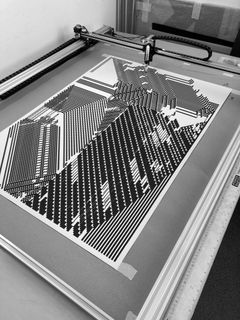
Welcome to the UUNA TEK Pen Plotter Collection, where precision meets digital creativity. If you are looking to buy a pen plotter for generative art, architectural drafting, or handwriting automation, you are in the right place. We engineer the best plotter machines on the market—designed to translate algorithmic designs into physical, exhibition-grade masterpieces.
SHOP NOWBUYING GUIDE📐 Quick Buyer's Guide Matrix
Compare tiers, precision levels, and workflows to select your ideal engineering system.
| Target Audience | Recommended Line | Key Technical Advantage | Price Range (USD) | Action |
|---|---|---|---|---|
| Beginners & Hobbyists | iDraw 2.0 (A4) iDraw H (A3 - A0) |
Highly affordable, ultra-stable, and 100% ready to draw out of the box. Ideal for desktop experiments and handwriting automation. | $524.00 - $1,799.00 Reg: $699 - $2,399 |
Shop Entry → |
| Professional Artists | iDraw H SE Series (Available in A3 / A2) |
The Hybrid Masterpiece. Native Inkscape & AxiDraw software compatibility for creative coding and complex algorithmic vector art. | $974.00 - $1,124.00 Reg: $1,299 - $1,499 |
Shop Artists → |
| CAD & Architects | UUNA TEK 3.0 (A3-A0) Massive Drafting Tables |
Wireless WiFi/SD control, industrial <60dB silent rails, high-speed tracking (20,000 mm/min), and flawless $\pm0.02\text{mm}$ structural precision. | $1,070.00 - $6,749.00+ Reg: $1,427 - $8,999+ |
Shop CAD → |
| Museums & Exhibitions | UUNA TEK ArtStation (1824 / 2436 Systems) |
Heavy-duty institutional-grade production system. Engineered for high-volume, museum-quality generative artwork reproduction. | $1,799.00 - $2,774.00 Reg: $2,399 - $3,699 |
Shop ArtStation → |
Entry-Level & Desktop Series
| Crafted for Hobbyists & Creative Beginners
Kickstart your creative journey with zero hassle. Designed for casual creators, stationery artists, and handwriting automation enthusiasts, the iDraw Standard series delivers premium plot precision right onto your desk. It is highly stable, incredibly intuitive, and 100% easy to use—all at a price that respects your budget.
SHOP NOWTESTIMONIALS for iDraw H Series

Smooth & easy, even in large scale Setting up and installing was very straightforward. Was working with A3 plotters from before, but the change in scale makes an order of magnitude in differences. Very precise, easy to setup drawing material with the inkscape extension. If you have available space (had to reconfigure my whole studio due its size) I can highly recommend this drawing machine.
Agoston Nagy

Superb Machine! My first pen plotter the Uuna Tek H A3. I settled on this make and model after watching many videos on YouTube. Uuna Tek consistently came out looking the best so I took the plunge and pressed the buy it now button. A week later I had a large box delivered! Opening the box, it's clear the machine was well packed to withstand shipping. A "hand written" thank you card was a nice touch. Assembly was simple and straightforward. The machine is nicely designed and definitely has a quality feel to it. The software was easy to install, I used the inkscape download (with plugins pre-installed) from the Uuna Tek website. All very straightforward and simple! I've attached a couple of my first prints. I'm absolutely delighted with the machine and the quality of the plots it produces. If you, like I was, are initialising hesitating to press "buy it now" - then don't. Press that button - you won't regret it! Regards to you all from a very wet UK.
ChrisR

Super happy with my iDraw H A1 plotter I purchased this plotter because previously I bought a Silhouette Cameo 4 Pro. That worked but it made a lot of noise and it was very hard to align multiple layers. This plotter however solved both these issues for me. It is quiet enough to have it running in my room while my son is sleeping in his room next to it. So that's really a big plus. Also aligning it and doing multiple layers was super easy. Mounting it took me about 20 minutes. Which was also very easy. All in all couldn't be more happier with this purchase. May someday get the A0 version even.
Merijn S.
FAQ for Beginners & Hobbyists Series
Professional Artist & Creative Coding Systems
| Powering Algorithmic Art
Turn complex code into breathtaking physical gallery pieces. Built exclusively for digital artists, creative coders, and design studios, the iDraw H SE series offers native, seamless integration with Inkscape and AxiDraw software workflows. Experience absolute fluid motion control and handle intricate, mathematical vector art with pure mechanical fluidity.
SHOP NOWTESTIMONIALS for iDraw H SE Series

Professional and precise This is the second pen plotter I have owned, and I am thoroughly impressed with the upgrade in quality. The iDraw H SE (A3) feels incredibly solid and the operation is smooth and stable. As the title says, the precision is excellent; it handles complex vector files and fine lines without any issues. Setting it up was straightforward, and it fits perfectly into my existing Inkscape workflow. If you are looking for a reliable machine that produces consistent, high-quality results, I highly recommend this one. I absolutely love it.
Roel vD

Lightweight and Reliable I have been using the iDraw H SE A3 for some time now, and I can say it is a very successful tool for creativity and experimentation. The device turned out to be quite easy to set up. After installing the software, everything works stably. I mainly prepare vector files in Inkscape and then send them to the plotter. The workflow is clear and logical, even for beginners. The construction feels solid: a metal frame, smooth motion and good line accuracy. The plotter confidently works with different pens and markers, which is convenient for calligraphy, illustration and generative art. I have used it to draw patterns, lettering and educational projects. I especially enjoy watching digital ideas turn into neat drawings on paper. A great choice for artists, designers and techno-art enthusiasts. P.S. In the photos are my experiments with scratching on rainbow scratch paper.
OlBor

Reignited my creativity. I’ve had the iDraw H SE A3 for about half a year now and i absolutely love it. It has reignited my creativity. I write code for a living, but using this pen plotter and exploring materials to plot with and on has been great fun and made coding creative again for me. It was very easy to setup overall. I mainly use the Inkscape plugins or the axidraw CLI to make my plots. I’ve written my own flow line software, used open source tools, and drawingbotv3. There’s a great range of software available to work with. The only feedback I have is that documentation for the existing software and plugins needs to be refined. It wasn’t that clearly documented. I think it should be open sourced via GitHub or similar and clearly documented in a README. Example plot with charcoal and graphite pencil from a drawingbotv3 sketch attached.
Ben M
FAQ for Professional Artist Series
CAD & Architectural Production Tables
Ultra-Precise Engineering Output
Master absolute scale with institutional-grade hardware. Engineered specifically for architects, master draftsmen, and structural engineers, the UUNA TEK 3.0 series redefines technical plotting. Fully preassembled with high-speed direct rack-and-pinion drives ($20,000\text{ mm/min}$), wireless WiFi/SD card controls, and whisper-quiet operation ($<60\text{dB}$), it renders intricate blueprints with an unrivaled precision of $\pm0.02\text{mm}$.
SHOP NOWTESTIMONIALS for UUNA TEK 3.0 Series

Excellent buid quality, low noise and high precision. I did order the A3 version of the UunaTek V3 plotter. Delivery was not fast and when it arrived it turned out that the X-axis connector was loose. It took me a while to figure this out, but after that, the machine was OK. I'm on a Mac Studio (ARM processor), so no Inkscape extension, but dedicated UunaTek writing software, which seems more tailored to wrting text, then to plotting images/graphics. But it can import SVG files and it does plot these files without problems. Out of the blue, one day the computer could not connect to the plotter anymore. It took an extensive Zoom session to fix this, but at the end with the excellent support of two employees the problem was fixed. From then on no problems. I have to say the build quality is excellent, the noise level is extreme low (compared to other plotters) and the precision is also very good! Support is also very good, most of the time I get an answer within one day. So I'm a very satisfied customer! BTW I have also an iMac (Intel based) and on this computer the Inkscape extension does work, so I have an alternative for plotting.
SWB

Architectural Drawings I used the A1 model for doing architectural drawings of historical buildings. The accuracy and repeatability of the Uuna Tek 3.0 A1 are outstanding. I can run multiple plots with 0.1 mm pens, and each stroke lands precisely on top of the last. The pen pressure is consistent across the entire bed, thanks to the rigid H-frame geometry. I’ve never experienced skipped steps, stalls, or communication drops. My plots often have hundreds of thousands of strokes in an image and it never misses.
David Stay

Exceeded My Expectations. Fast Setup, Great Build, Amazing Results I’m genuinely impressed with the UUNA TEK 3.0 A3. The plotter showed up fast, came fully assembled, and I had it up and running within 15 minutes. Even as someone new to pen plotters, I was able to start creating right away. The build quality is solid, no wobble, no cheap parts and the precision and speed are far better than I expected at this price point. What really surprised me is how accessible it feels for beginners while still being powerful enough for more advanced, code driven projects. I’ve already started experimenting with my own generative designs, and the machine handles everything smoothly. The only thing I’m still figuring out is a good way to manage point to point plotting for more technical drawings, but that’s more of a software need than a hardware issue. Overall, this thing has opened up a whole new creative lane for me, and I’m honestly loving it so far.
Michael Bitton
FAQ for CAD & Architectural Drafting Series
Museum-Grade & Institutional Production
| UUNA TEK ArtStation Series
Heavy-duty architecture engineered for flawless, historical-quality reproduction. The ArtStation series is the ultimate choice for elite museums, premium art galleries, and high-volume archival printing. Designed to handle continuous heavy workloads on massive layouts, this system delivers absolute consistency, uncompromising geometric line quality, and pristine depth for exhibition-grade masterpieces.
SHOP NOWFAQ for Museum-Grade Generative Art Series

1. What is a Pen Plotter?
A pen plotter is a specialized printer that uses a pen to draw images and text on paper, rather than applying ink like a traditional printer. This device excels in creating intricate designs, technical drawings, and detailed graphics, making it ideal for artists, engineers, and educators. Unlike regular printers that spray ink, pen plotters produce high-resolution outputs by precisely moving a pen across the surface of the medium. They can handle various types of pens and are often used in applications requiring fine detail, such as architectural blueprints and artistic illustrations. The versatility of pen plotters has led to the rise of DIY pen plotter kits, allowing hobbyists to create their own custom designs. The combination of precision and creativity offered by pen plotters has made them an essential tool in both professional and personal projects, fostering a unique intersection of technology and art.
2. Pen Plotter History
The history of pen plotters is both fascinating and integral to the evolution of computer-aided design (CAD). The origins trace back to the 1950s when the first mechanical plotters emerged, paving the way for modern designs. A pivotal moment came with innovators like Evil Mad Scientist, who popularized affordable DIY pen plotters, such as the AxiDraw. The AxiDraw pen plotter revolutionized the market by making precision drawing accessible to artists and hobbyists alike. Similarly, HP entered the plotter space in the 1980s, introducing models that catered to businesses and professional environments. HP's advancements contributed significantly to the usability and performance of pen plotters, making them a staple in technical fields.
In 2005, UUNA TEK emerged, leveraging modern technology to provide innovative solutions for diverse customer needs. With brands like iDraw and iAuto, UUNA TEK targets various markets, from casual users to professionals, enhancing the versatility of pen plotting. Their commitment to quality and innovation has positioned them as a key player in the industry. Today, pen plotters continue to evolve, incorporating advanced technology and offering a unique intersection of creativity and precision for artists and engineers alike.
3. Plotter Machine vs. Standard Printer: What's the Difference?
While standard printers are designed for rapid text and photo duplication, a dedicated pen plotter machine is engineered specifically for continuous vector lines and tactile physical artwork. Standard printers spray tiny ink dots across a grid—which can cause pixelation on large scaled designs. In contrast, a pen plotter holds real drawing tools and translates digital paths ($G-code$) into flawless geometric lines with absolute mechanical accuracy.
| Feature / Capability | Standard Digital Printer | Dedicated Pen Plotter Machine |
|---|---|---|
| Core Mechanics | Raster Grid (Sprays dots row-by-row) | Vector Motion (Draws continuous X/Y paths) |
| Line Quality | Limited by DPI; prone to pixelation | Flawless geometric lines; zero pixelation |
| Supported Tools | Fixed internal inkjets or toners | Real pens, fountain pens, markers, and pencils |
| Output Texture | Flat, purely digital reproduction | Authentic ink pooling, depth, and pen pressure |
| Best Used For | Fast office text and basic photography | Generative art, blueprints, and calligraphy |
4. Pen Plotter Price
The price of pen plotters can vary significantly depending on features, brand, and size. UUNA TEK offers a diverse range of pen plotters priced between $299 and $3,199, catering to various needs and budgets. Entry-level models, typically suitable for beginners, start at $299, making them accessible for casual users and hobbyists. Mid-range options provide enhanced features for more detailed work, while professional-grade models reach up to $3,199, offering advanced capabilities for serious artists and engineers. UUNA TEK's products range in size from A4 to A0, and they even offer larger options like 4x2 meters for expansive projects. It's essential to consider the intended use when evaluating pen plotter prices; investing in a higher-quality model can yield better results and durability for frequent use. By comparing features, reviews, and specific needs, you can find the best pen plotter that fits your requirements and budget.
| Machine Tier | Targeted Use Case & Workflows | Price Range (USD) |
|---|---|---|
| Entry-Level Plotters e.g., iDraw 2.0 A4, iDraw H A3 | Perfect for beginners, hobbyists, custom stationery creation, and light handwriting automation tasks. Ideal for compact desk setups. |
Orig: $699.00 - $799.00
$524.00 - $599.00
Buy Entry Models → |
| Mid-Range Systems e.g., iDraw H SE, UUNA TEK 3.0 A3 | Engineered for generative artists, creative coders, and small design studios requiring professional software compatibility (Inkscape/AxiDraw software workflows) and faster drafting speeds. |
Orig: $1,299.00 - $1,427.00
$974.00 - $1,070.00
Buy Mid-Range → |
| Professional Large Format e.g., iDraw H (A2-A0), UUNA TEK 3.0 (A2-A0), ArtStation 1824 | Built for museum-grade art production, large-scale architectural blueprints, and high-precision exhibition pieces. Available from A2 up to extra-large A0 formats. |
Orig: $1,499.00 - $5,199.00
$1,124.00 - $3,899.00
Buy Professional Series → |
| Industrial / Architectural Tables e.g., UUNA TEK 3.0 (2X1.25M/2X2M) | Institutional-grade massive format architect drawing tables with WiFi & SD card control. Designed for ultra-large architectural drafting and expansive structural projects. |
Orig: $8,999.00
$6,749.00
Buy Architectural Tables → |
5. Top 5 Best Pen Plotters
When searching for the best pen plotters, several models stand out for their performance and reliability.
The UUNA TEK 3.0 is a leading choice, known for its advanced technology and precision, making it suitable for both professional and creative projects.
The iDraw H SE A3 offers a compact design while maintaining high accuracy, ideal for smaller workspaces.
For larger projects, the iDraw H A1 provides an expansive drawing area, perfect for architectural designs and large illustrations.
The AxiDraw V3 SE remains a favorite for its versatility and ease of use, catering to a wide range of artistic applications.
Finally, the Bantam NextDraw is praised for its user-friendly interface and excellent quality, making it a solid option for beginners and experts alike.
Each of these pen plotters offers unique features that cater to various needs, ensuring you'll find the right fit for your creative projects.
6. Top Best Pen Plotter on Amazon
For those looking to purchase a pen plotter online, the iDraw H Series offers a range of models from A3 to A0 size machines that are consistently ranked among the best on Amazon. These plotters are lauded for their user-friendly setup and exceptional output quality, making them suitable for both professionals and hobbyists. The iDraw H Series combines advanced technology with affordability, ensuring that users can achieve precise and detailed designs without breaking the bank. Additionally, their versatility allows users to switch between different pen types, enhancing the creative possibilities. Customers appreciate the robust construction and reliability of these plotters, often noting their efficiency in handling a variety of media. With positive reviews highlighting their performance, the iDraw H Series continues to be a top choice for anyone seeking a dependable and high-quality pen plotter.
7. Top Best Pen Plotter for Beginners
For beginners venturing into the world of pen plotting, the iDraw 2.0 A4 size machine is an excellent choice. Designed with user-friendliness in mind, this pen plotter simplifies the drawing process, allowing newcomers to focus on creativity without getting overwhelmed by complex features. The iDraw 2.0 is equipped with intuitive software, making it easy to create and customize designs. Its compact size is perfect for limited workspace, ensuring that anyone can start their artistic journey without needing extensive setup. Additionally, the affordability of the iDraw 2.0 makes it an accessible option for those testing the waters of pen plotting. With the ability to produce detailed artwork and precise technical drawings, this pen plotter provides an excellent foundation for beginners looking to explore their creativity while learning the intricacies of this fascinating technology.
8. Top Best Android Pen Plotter
The UUNA TEK 3.0 stands out as the most advanced all-in-one pen plotter for Android users. Released in 2024, it features an Arduino motherboard that enhances speed and performance, making it ideal for intricate designs and bulk projects. This pen plotter boasts remarkable precision, with an accuracy of up to ±0.02mm, thanks to its Z-axis stepper motor and direct-drive rack and pinion system, which ensures precise height control.Convenience is at the forefront of the UUNA TEK 3.0’s design. It comes ready to use straight out of the box, requiring no installation. The modular design allows for adaptive adjustments and real-time zero-gap capabilities, ensuring optimal performance. Additionally, it features adjustable synchronous belt tension for easy maintenance and effective cable management with drag chain routing, protecting internal cables from wear and tear.Noise levels are kept low, under 60dB, due to its high-silence guide rail and industrial-grade silent drive. This pen plotter is compatible with a variety of pen tools, and its enhanced silent performance is further improved by a special copper pen that provides dual buffering.The UUNA TEK 3.0 supports custom sizes up to 4x2 meters, accommodating a range of formats, including A3, A2, A1, and A0. With a high-speed mode allowing for maximum parameters of 20,000 mm/min on the X and Y axes, it offers impressive efficiency for larger projects.Its custom software simplifies writing and drawing operations, supporting free handwritten font input and compatibility with design software like Inkscape and P5.js, making it easy to generate digital art.With hardware upgrades that include cast aluminum silent rails and self-lubricating engineering plastics, the UUNA TEK 3.0 maximizes speed and accuracy while minimizing noise, allowing users to fully appreciate the creative process. Its integrated design features oxidized and polished surfaces, giving it a premium appearance, perfect for upscale art exhibitions. Plus, the ability to handle a maximum writing thickness of up to 40mm opens new possibilities for artistic creation, making the UUNA TEK 3.0 a top choice for serious artists and engineers alike.
9. How to DIY Pen Plotter: 10 General Steps
Building your own custom drawing machine is a rewarding way to deeply understand motion control. If you want to build rather than buy a plotter machine setup, follow these ten foundational engineering steps to configure your own hardware. (However, if you want to skip the sourcing hassle and get straight to creating, exploring preassembled systems is always a faster path to precise production.)
Acquire stepper motors (NEMA 17), a microcontroller (Arduino), CNC shield, and a stable power supply.
Assemble a rigid aluminum V-slot extrusion or wooden frame to prevent structural wobbling during high-speed plotting.
Fix your X and Y-axis motors securely to the frame, ensuring perfect linear alignment for precise vector tracing.
Interface your Arduino with the CNC motor shield and insert A4988 or TMC2209 silent stepper motor drivers.
Design or 3D-print a lightweight Z-axis assembly using a small servo motor to handle smooth pen-up and pen-down actions.
Route GT2 timing belts through the pulleys. Keep synchronous tension tight to prevent backlashes and loose paths.
Organize motor leads and limit switch wires cleanly using drag chains to prevent cable fatigue during heavy travel cycles.
Upload open-source GRBL firmware to your Arduino board to enable it to understand standard geometric vector parameters.
Run initial physical testing coordinates. Tune configuration metrics so a commanded 100mm line measures exactly 100mm.
Import vector paths from software like Inkscape, generate your G-code file, and stream it to begin your first automated plot.
10. How to Convert Laser Cutter to Pen Plotter: 10 General Steps
Repurposing an existing desktop laser engraver is an excellent engineering alternative to looking to buy pen plotter systems from scratch. Here is how to safely convert your gantry frame, isolate power parameters, and deploy stable vector path drawing tools.
Inspect your laser cutter's existing X/Y rails and stepper tracking layout to ensure it can support smooth physical contact drawing.
Completely disconnect power to the laser module and detach high-voltage lines to guarantee absolute operating safety.
Carefully unbolt the heavy laser focal head housing from the center carriage plate to prepare for the pen module weight.
Secure a universal pen clamp tool directly onto the empty carriage plate. Ensure the pen path sits perfectly square (90°).
Connect a small RC servo or mini-stepper motor to the controller board to mechanically raise and drop the pen holder.
Reroute your controller board's PWM laser trigger pin output to act as the steering command path for your new servo motor lift.
Open your vector drafting control software and disable all laser intensity/power modifiers, switching them to binary up/down states.
Manually index home settings. Set physical heights so the pen lifts 3-5mm above the media and rests with gentle pressure when dropped.
Run simple square and circle vectors at conservative feeds (e.g., 2,000 mm/min) to isolate and fix any lingering pen bounce.
Load specialized generative art scripts or intricate architectural details, slot in a fresh ink pen, and start plotting safely.
Subscribe To UUNA TEK
Be an insider and get access to the latest news, style tips, and promotions